In-App Overlay
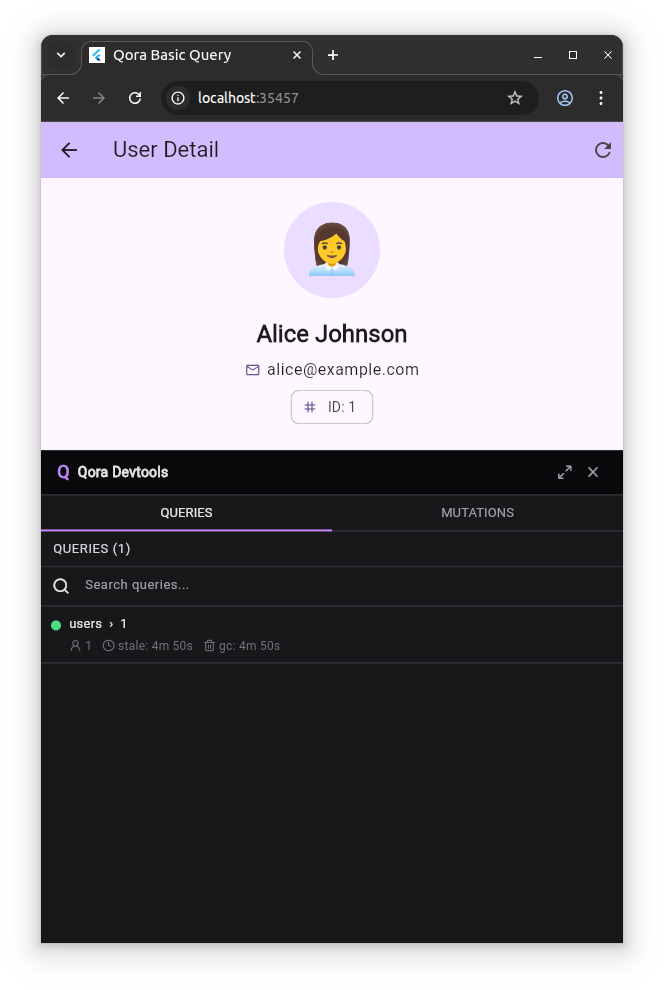
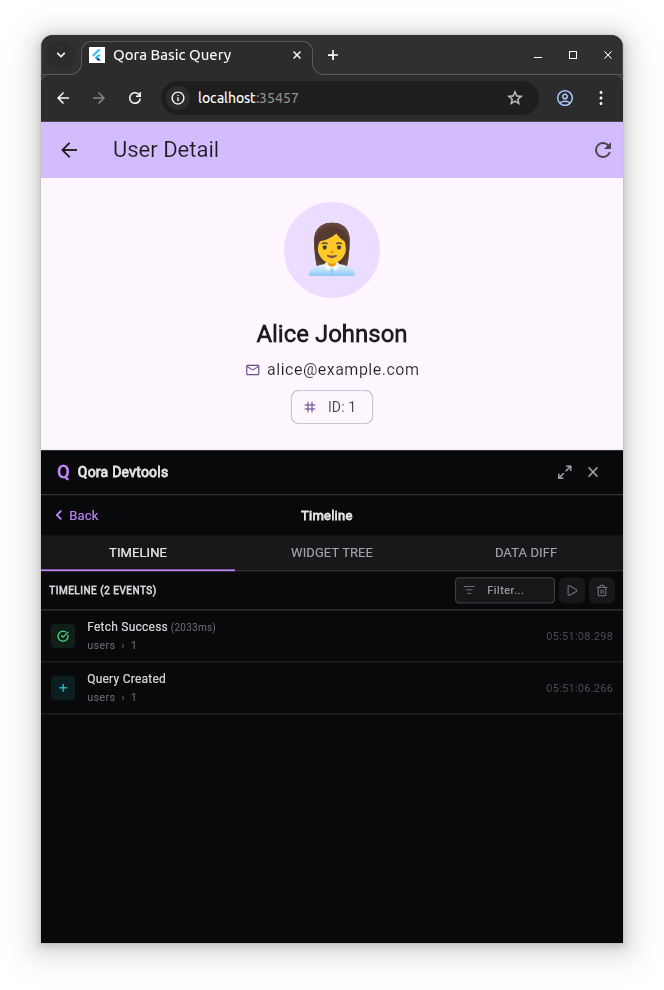
The overlay is a panel rendered inside the running app. It provides real-time visibility into queries, mutations, and optimistic updates.
Installation
flutter pub add qora_devtools_overlay
Add it to dependencies, not dev_dependencies: your main.dart imports it, and importing a dev dependency from lib/ is flagged by the depend_on_referenced_packages lint. It does not cost anything in release, as explained in Production safety.
Setup
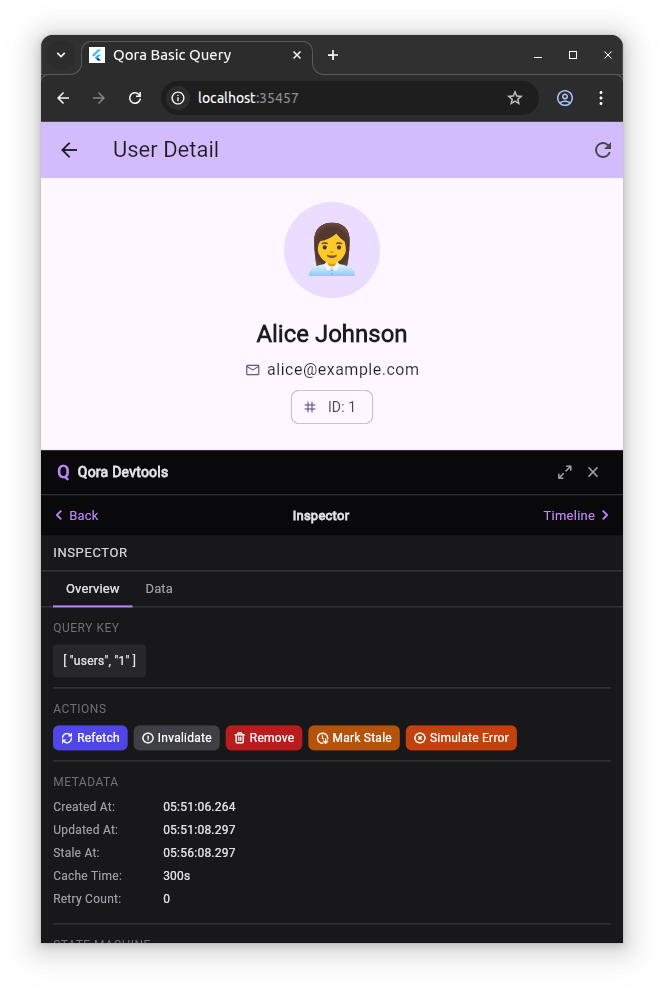
Create an OverlayTracker and pass it to both QoraClient and QoraInspector. Pass the client reference to QoraInspector to enable the inspector action buttons.
import 'package:flutter/foundation.dart';
import 'package:flutter/material.dart';
import 'package:qora_devtools_overlay/qora_devtools_overlay.dart';
import 'package:qora_flutter/qora_flutter.dart';

void main() {
  final tracker = OverlayTracker();

  final client = QoraClient(
    // null in release mode: QoraClient uses NoOpTracker, no events emitted.
    tracker: kDebugMode ? tracker : null,
  );

  runApp(
    QoraInspector(
      tracker: tracker,
      // Required for action buttons (Refetch, Invalidate, Remove, etc.)
      // to operate on the live cache. Omitting this disables the ACTIONS section.
      client: kDebugMode ? client : null,
      child: QoraScope.auto(client: client, child: const MyApp()),
    ),
  );
}
In debug mode, a Q button is rendered in the bottom-right corner of the screen. Tapping it opens the panel.
client parameter is optional. QoraInspector operates as a read-only observer when client is not provided. The ACTIONS section is not rendered in that case.QoraInspector renders nothing in release builds. The guard is applied at widget level: the overlay subtree is not constructed when kDebugMode is false.Responsive behavior
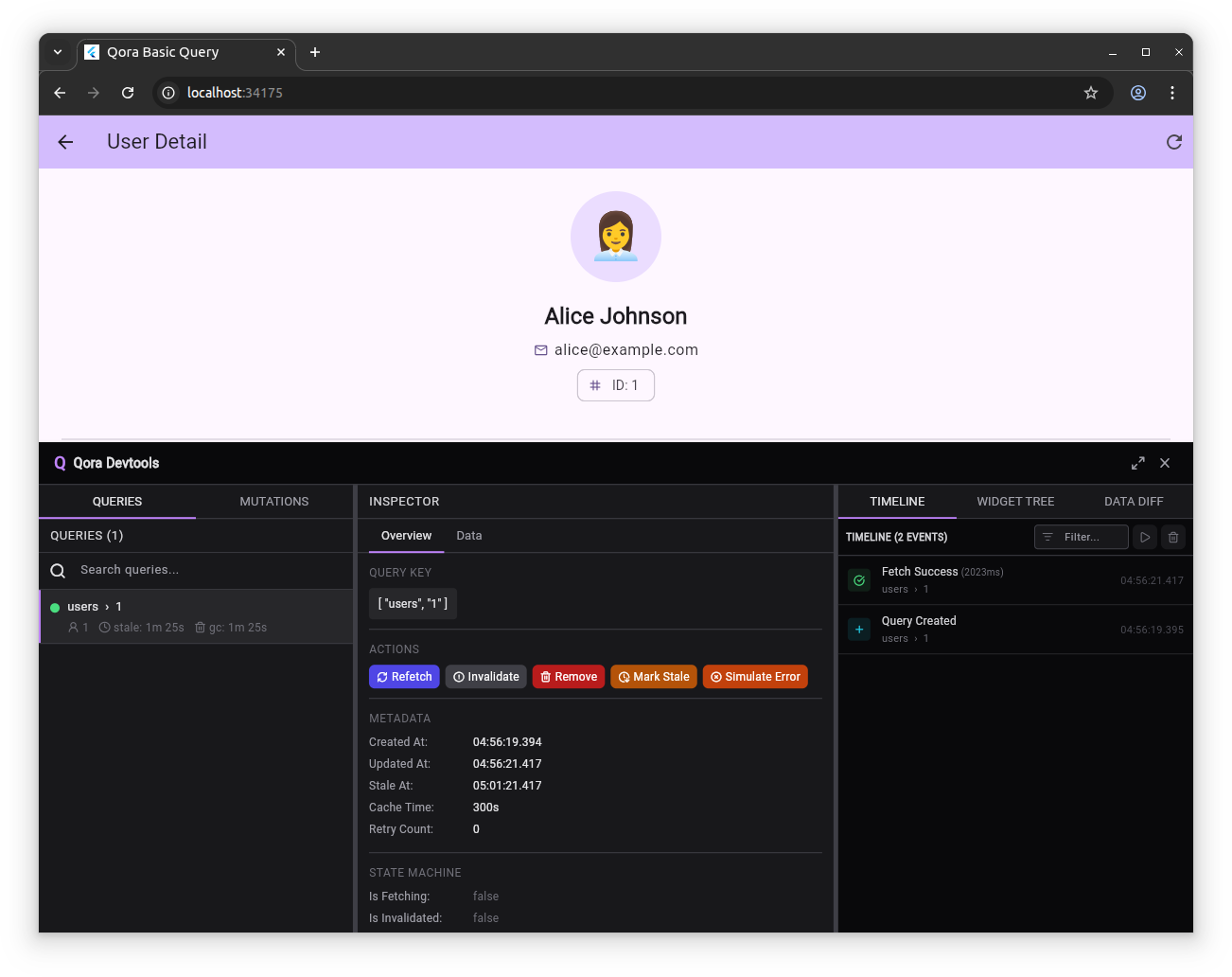
The overlay layout adapts to the available screen width.
- 600 px and above (tablet, desktop): three-column layout with all panels visible simultaneously.
- Below 600 px (phone): single-column navigation with forward navigation into inspector and timeline views.
Production safety
Two independent mechanisms keep the overlay out of production:
1. Compile-time guard
@override
Widget build(BuildContext context) {
  if (!kDebugMode) return child; // nothing is built in release
  return _buildOverlay();
}
kDebugMode is a compile-time constant. In a release build the overlay branch is unreachable, and tree shaking removes the panel's code.
2. NoOpTracker in release
QoraClient is constructed with tracker: kDebugMode ? tracker : null. In release mode, null activates NoOpTracker. Its methods are no-ops and no tracking events are emitted.
Result: no runtime impact from the overlay tracker path in production.